Layer
Contents
Sources
brand/layer/ai.mdSection purpose: Shared identity and creative direction.
File purpose: The guidance every AI agent uses.
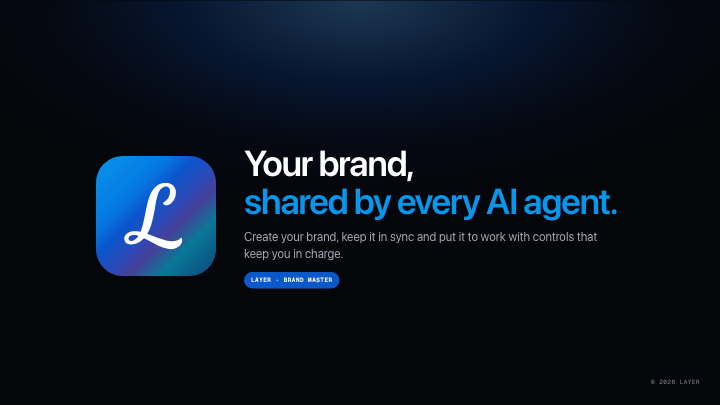
Your brand, shared by every AI agent.
Create your brand easily, keep it in sync and put it to work across your teams and AI agents.
Purpose: One shared foundation for on-brand content.
Audience: Brand teams, creators and the people building with AI.
Personality: Clear, calm and confident.
Website: layerbrand.app
Colour | Value | Role |
|---|---|---|
Layer Blue | #0B58CB | Primary actions and brand accent |
Horizon | #0696EC | Highlights and links on dark |
Glow | #58A9FF | Light effects and accents |
Dusk | #404A92 | Gradient depth |
Lagoon | #076A91 | Gradient end tone |
Ink | #1C1C1E | Text on light |
Black | #05060A | Dark surfaces |
Paper | #FFFFFF | Light surfaces and text on dark |
SF Pro for product surfaces, with Inter as the web fallback. Geist Mono for labels and data.
Semibold headlines, tight tracking and generous space. Keep body text readable and secondary labels quiet.
Clear, calm and confident. Lead with the benefit, explain it plainly and make the next step easy.
Use short, concrete sentences.
Say Layer, with a capital L.
Use a warmer, guiding tone during setup.
Avoid jargon, inflated claims and unnecessary exclamation marks.
Use supplied evidence; never invent customers or results.

Layer
Contents
Sources
brand/layer/ai.mdSection purpose: Shared identity and creative direction.
File purpose: The guidance every AI agent uses.
Your brand, shared by every AI agent.
Create your brand easily, keep it in sync and put it to work across your teams and AI agents.
Purpose: One shared foundation for on-brand content.
Audience: Brand teams, creators and the people building with AI.
Personality: Clear, calm and confident.
Website: layerbrand.app
Colour | Value | Role |
|---|---|---|
Layer Blue | #0B58CB | Primary actions and brand accent |
Horizon | #0696EC | Highlights and links on dark |
Glow | #58A9FF | Light effects and accents |
Dusk | #404A92 | Gradient depth |
Lagoon | #076A91 | Gradient end tone |
Ink | #1C1C1E | Text on light |
Black | #05060A | Dark surfaces |
Paper | #FFFFFF | Light surfaces and text on dark |
SF Pro for product surfaces, with Inter as the web fallback. Geist Mono for labels and data.
Semibold headlines, tight tracking and generous space. Keep body text readable and secondary labels quiet.
Clear, calm and confident. Lead with the benefit, explain it plainly and make the next step easy.
Use short, concrete sentences.
Say Layer, with a capital L.
Use a warmer, guiding tone during setup.
Avoid jargon, inflated claims and unnecessary exclamation marks.
Use supplied evidence; never invent customers or results.
Website: layerbrand.app — connected
Frontify: Layer guidelines — example connection
Sanity: Layer content — example connection
Figma: Layer design system — example connection
Sources provide context. Changes to shared brand guidance are reviewed before use.
Layer
Contents
Sources
brand/layer/ai.mdSection purpose: Shared identity and creative direction.
File purpose: The guidance every AI agent uses.
Your brand, shared by every AI agent.
Create your brand easily, keep it in sync and put it to work across your teams and AI agents.
Purpose: One shared foundation for on-brand content.
Audience: Brand teams, creators and the people building with AI.
Personality: Clear, calm and confident.
Website: layerbrand.app
Colour | Value | Role |
|---|---|---|
Layer Blue | #0B58CB | Primary actions and brand accent |
Horizon | #0696EC | Highlights and links on dark |
Glow | #58A9FF | Light effects and accents |
Dusk | #404A92 | Gradient depth |
Lagoon | #076A91 | Gradient end tone |
Ink | #1C1C1E | Text on light |
Black | #05060A | Dark surfaces |
Paper | #FFFFFF | Light surfaces and text on dark |
SF Pro for product surfaces, with Inter as the web fallback. Geist Mono for labels and data.
Semibold headlines, tight tracking and generous space. Keep body text readable and secondary labels quiet.
Clear, calm and confident. Lead with the benefit, explain it plainly and make the next step easy.
Use short, concrete sentences.
Say Layer, with a capital L.
Use a warmer, guiding tone during setup.
Avoid jargon, inflated claims and unnecessary exclamation marks.
Use supplied evidence; never invent customers or results.
Website: layerbrand.app — connected
Frontify: Layer guidelines — example connection
Sanity: Layer content — example connection
Figma: Layer design system — example connection
Sources provide context. Changes to shared brand guidance are reviewed before use.
Layer mark, light and dark variants
Layer wordmark and app icon
Signature gradient: Horizon → Layer Blue → Dusk → Lagoon
Brand guidance for colour, typography, voice and asset use
Inter and Geist Mono font files
Use the supplied logo artwork. Keep clear space around it and choose a variant with readable contrast.
Layer
Contents
Sources
brand/layer/ai.md SavedSection purpose: Shared identity and creative direction.
File purpose: The guidance every AI agent uses.
Your brand, shared by every AI agent.
Create your brand easily, keep it in sync and put it to work across your teams and AI agents.
Purpose: One shared foundation for on-brand content.
Audience: Brand teams, creators and the people building with AI.
Personality: Clear, calm and confident.
Website: layerbrand.app
Colour | Value | Role |
|---|---|---|
Layer Blue | #0B58CB | Primary actions and brand accent |
Horizon | #0696EC | Highlights and links on dark |
Glow | #58A9FF | Light effects and accents |
Dusk | #404A92 | Gradient depth |
Lagoon | #076A91 | Gradient end tone |
Ink | #1C1C1E | Text on light |
Black | #05060A | Dark surfaces |
Paper | #FFFFFF | Light surfaces and text on dark |
SF Pro for product surfaces, with Inter as the web fallback. Geist Mono for labels and data.
Semibold headlines, tight tracking and generous space. Keep body text readable and secondary labels quiet.
Clear, calm and confident. Lead with the benefit, explain it plainly and make the next step easy.
Use short, concrete sentences.
Say Layer, with a capital L.
Use a warmer, guiding tone during setup.
Avoid jargon, inflated claims and unnecessary exclamation marks.
Use supplied evidence; never invent customers or results.
Website: layerbrand.app — connected
Frontify: Layer guidelines — example connection
Sanity: Layer content — example connection
Figma: Layer design system — example connection
Sources provide context. Changes to shared brand guidance are reviewed before use.
Layer mark, light and dark variants
Layer wordmark and app icon
Signature gradient: Horizon → Layer Blue → Dusk → Lagoon
Brand guidance for colour, typography, voice and asset use
Inter and Geist Mono font files
Use the supplied logo artwork. Keep clear space around it and choose a variant with readable contrast.
Generous space, clear hierarchy and one idea per slide.
Signature gradient: Horizon → Layer Blue → Dusk → Lagoon.
Restrained glass on gradient stages; preserve readable contrast.
Dark covers and section breaks, light surfaces for reading.
Let the content determine the layout. Avoid repeating one composition.
Layer
Contents
Sources
brand/layer/ai.mdSection purpose: Shared identity and creative direction.
File purpose: The guidance every AI agent uses.
Your brand, shared by every AI agent.
Create your brand easily, keep it in sync and put it to work across your teams and AI agents.
Purpose: One shared foundation for on-brand content.
Audience: Brand teams, creators and the people building with AI.
Personality: Clear, calm and confident.
Website: layerbrand.app
Colour | Value | Role |
|---|---|---|
Layer Blue | #0B58CB | Primary actions and brand accent |
Horizon | #0696EC | Highlights and links on dark |
Glow | #58A9FF | Light effects and accents |
Dusk | #404A92 | Gradient depth |
Lagoon | #076A91 | Gradient end tone |
Ink | #1C1C1E | Text on light |
Black | #05060A | Dark surfaces |
Paper | #FFFFFF | Light surfaces and text on dark |
SF Pro for product surfaces, with Inter as the web fallback. Geist Mono for labels and data.
Semibold headlines, tight tracking and generous space. Keep body text readable and secondary labels quiet.
Clear, calm and confident. Lead with the benefit, explain it plainly and make the next step easy.
Use short, concrete sentences.
Say Layer, with a capital L.
Use a warmer, guiding tone during setup.
Avoid jargon, inflated claims and unnecessary exclamation marks.
Use supplied evidence; never invent customers or results.
Website: layerbrand.app — connected
Frontify: Layer guidelines — example connection
Sanity: Layer content — example connection
Figma: Layer design system — example connection
Sources provide context. Changes to shared brand guidance are reviewed before use.
Layer mark, light and dark variants
Layer wordmark and app icon
Signature gradient: Horizon → Layer Blue → Dusk → Lagoon
Brand guidance for colour, typography, voice and asset use
Inter and Geist Mono font files
Use the supplied logo artwork. Keep clear space around it and choose a variant with readable contrast.
Generous space, clear hierarchy and one idea per slide.
Signature gradient: Horizon → Layer Blue → Dusk → Lagoon.
Restrained glass on gradient stages; preserve readable contrast.
Dark covers and section breaks, light surfaces for reading.
Let the content determine the layout. Avoid repeating one composition.
Foundation approved. Reuse this brand across your teams and AI agents.
Keep source context in sync. Suggest improvements from feedback. Ask the brand owner to review changes before updating shared guidance.
Check new content against the approved colours, type, voice and assets. Route content that needs review to an approver before publishing.
11 reusable layouts built from the approved Layer brand.
Choose a layout, add your content and carry the same approved brand into the next creation.
You have not suggested anything yet. Right-click anything in an editor and choose Suggest to brand.
Select a variant to edit its color palette below.
Layer
29 colors · 9 type styles
Click any swatch to edit. These tokens are used across all slides.
Define type styles used across slides. Click any row to edit.
Define tone, writing personality, and explicit do/don't rules for brand-safe copy.
No commands yet
Create AI prompt templates with @ placeholders for efficient chat
0 commands
1 template available
Default slide types every teammate sees in the New slide dialog.
Layer hasn't pushed any default slide types yet.
No assets in this folder
Add files, drop files here, or create a folder to organize this category.
No assets in this folder
Add files, drop files here, or create a folder to organize this category.
No assets in this folder
Add files, drop files here, or create a folder to organize this category.
No assets in this folder
Add files, drop files here, or create a folder to organize this category.
1 template available
Default slide types every teammate sees in the New slide dialog.
Layer hasn't pushed any default slide types yet.
Layer master deck
11 slides
1 template available
Default slide types every teammate sees in the New slide dialog.
Layer hasn't pushed any default slide types yet.
Cover
Layer master deck · Slide 1 of 11
1 template available
Default slide types every teammate sees in the New slide dialog.
Layer hasn't pushed any default slide types yet.
Agenda
Layer master deck · Slide 2 of 11
1 template available
Default slide types every teammate sees in the New slide dialog.
Layer hasn't pushed any default slide types yet.
Feature title
Layer master deck · Slide 3 of 11
1 template available
Default slide types every teammate sees in the New slide dialog.
Layer hasn't pushed any default slide types yet.
Feature spotlight
Layer master deck · Slide 4 of 11
1 template available
Default slide types every teammate sees in the New slide dialog.
Layer hasn't pushed any default slide types yet.
Feature highlights
Layer master deck · Slide 5 of 11
1 template available
Default slide types every teammate sees in the New slide dialog.
Layer hasn't pushed any default slide types yet.
Comparison matrix
Layer master deck · Slide 6 of 11
1 template available
Default slide types every teammate sees in the New slide dialog.
Layer hasn't pushed any default slide types yet.
Recap
Layer master deck · Slide 7 of 11
1 template available
Default slide types every teammate sees in the New slide dialog.
Layer hasn't pushed any default slide types yet.
Closing
Layer master deck · Slide 8 of 11
1 template available
Default slide types every teammate sees in the New slide dialog.
Layer hasn't pushed any default slide types yet.
Section break
Layer master deck · Slide 9 of 11
1 template available
Default slide types every teammate sees in the New slide dialog.
Layer hasn't pushed any default slide types yet.
Big numbers
Layer master deck · Slide 10 of 11
1 template available
Default slide types every teammate sees in the New slide dialog.
Layer hasn't pushed any default slide types yet.
Process
Layer master deck · Slide 11 of 11
Drop files to attach